IPhone/iPad/iTouch Wireless

From William Paterson University - Information Technology's Wiki
Revision as of 13:13, 13 December 2012 by Harrisr (talk | contribs) (Created page with " <ol> <li>Select WP Wireless From the Available Networks <li>When prompted, enter your WPConnect Username and Password and click 'Join' <div class="toccolours mw-collapsible ...")
(diff) ← Older revision | Latest revision (diff) | Newer revision → (diff)
Jump to navigation Jump to search
  1. Select WP Wireless From the Available Networks
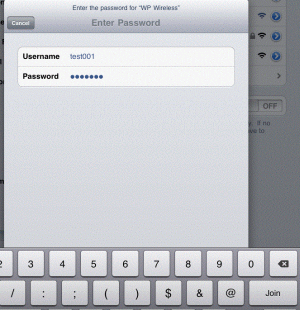
  2. When prompted, enter your WPConnect Username and Password and click 'Join'


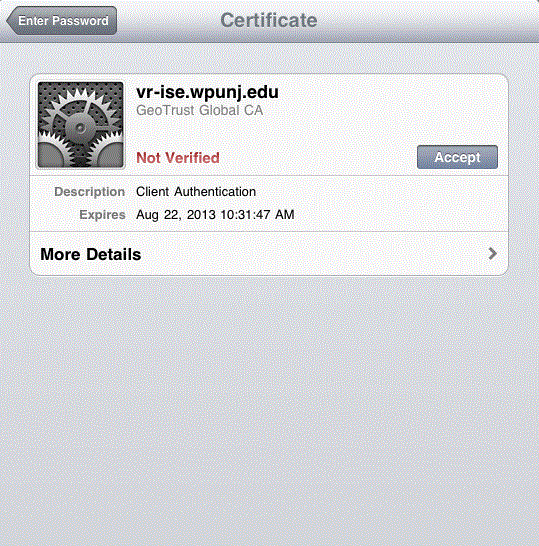
  3. When Prompted, Accept the Certificate


  4. Test your internet connection. If you do not have internet access, repeat the steps above. If you still have no internet access, contact Help Desk Request.


Network Services