IPhone/iPad/iTouch Wireless
- Select WP Wireless From the Available Networks
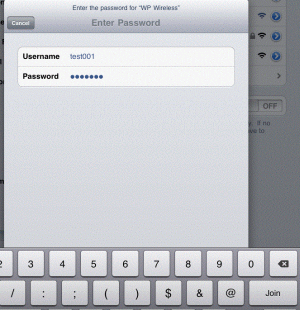
- When prompted, enter your WPConnect Username and Password and click 'Join'
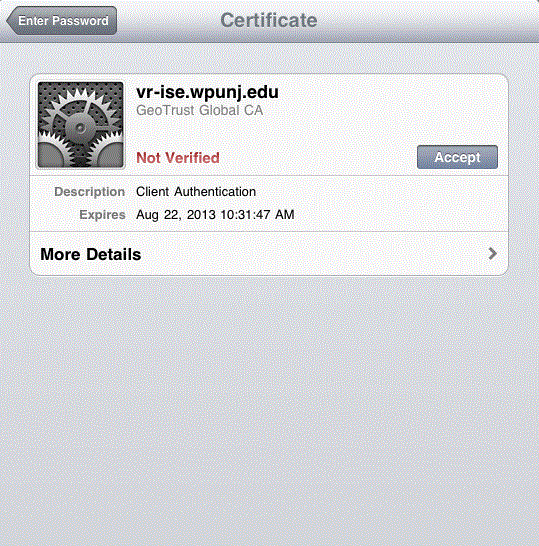
- When Prompted, Accept the Certificate
- Test your internet connection. If you do not have internet access, repeat the steps above. If you still have no internet access, contact Help Desk Request.

