OS X Wireless
- Select WP Wireless from the available Wireless Networks
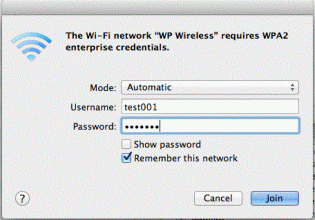
- Leave mode as Automatic
- Enter Username and Password
- Click on Join
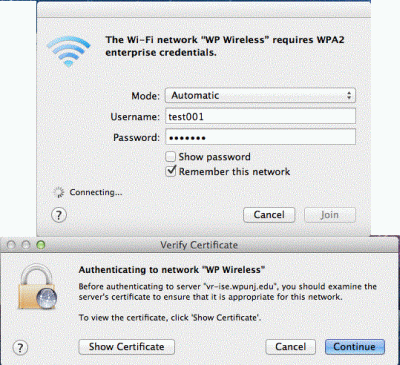
- Click on Continue to Accept the Certificate
- You should now be connected to WP Wireless. Contact the Help Desk Request if you are unable to connect.

