OS X Wireless

From William Paterson University - Information Technology's Wiki
Revision as of 10:26, 1 April 2013 by Rozewskic (talk | contribs) (Rozewskic moved page Mac OSX to OS X Wireless: Incorrectly named)
(diff) ← Older revision | Latest revision (diff) | Newer revision → (diff)
Jump to navigation Jump to search
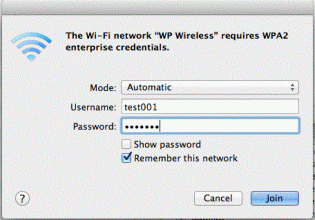
  1. Select WP Wireless from the available Wireless Networks
  2. Leave mode as Automatic
  3. Enter Username and Password
  4. Click on Join


  5. Click on Continue to Accept the Certificate
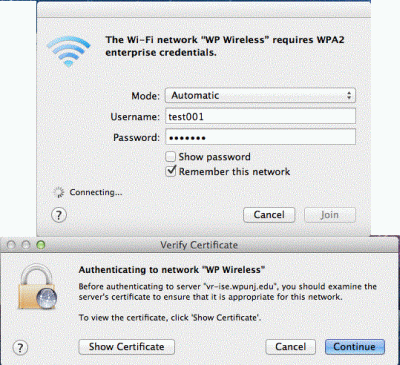

  6. You should now be connected to WP Wireless. Contact the Help Desk Request if you are unable to connect.


Network Services