Webex: Difference between revisions
Jump to navigation
Jump to search
Mccafferys (talk | contribs) |
Mccafferys (talk | contribs) |
||
| Line 9: | Line 9: | ||
== Starting a Meeting == | == Starting a Meeting == | ||
#Click "Start a Meeting" | #Click "Start a Meeting" <div class="toccolours mw-collapsible mw-collapsed" style="width:300px">[[File:Webex4.jpg | 750px]]</div> | ||
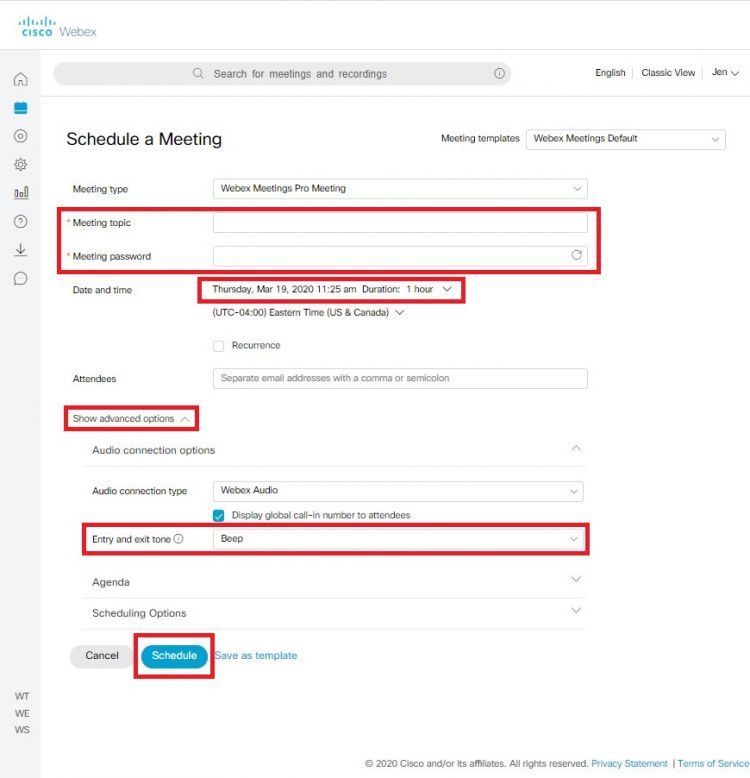
#Fill in the required options | #Fill in the required options <div class="toccolours mw-collapsible mw-collapsed" style="width:300px">[[File:Webex6.jpg | 750px]]</div> | ||
== Using the Full Application == | == Using the Full Application == | ||
Revision as of 16:01, 19 March 2020
What is Webex?
Webex is Cisco’s video conferencing platform. It allows individuals to make, receive, and schedule video calls and conferences from any device. Webex meetings are highly immersive, providing HD video, wireless content sharing and much more.
Using the Web Version
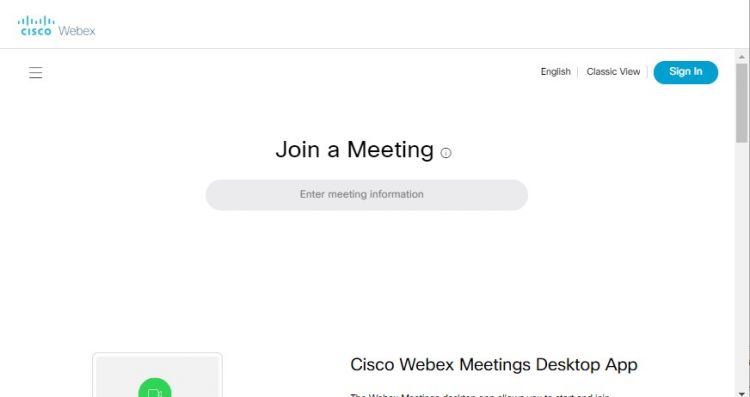
From your web browser, Webex is available at www.wpunj.edu/webex.
- Click Sign in
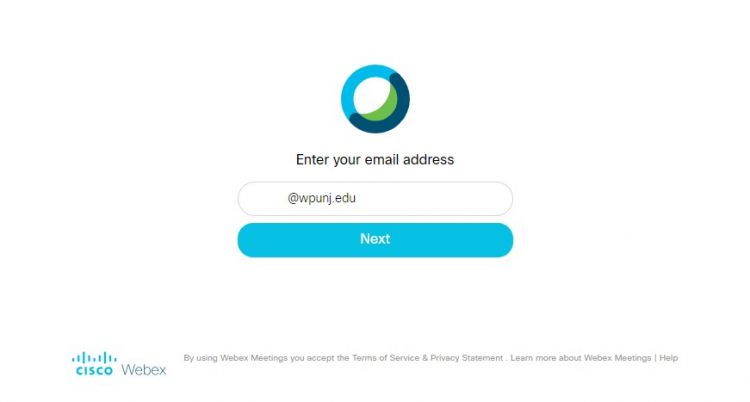
- Enter your full WPU email address
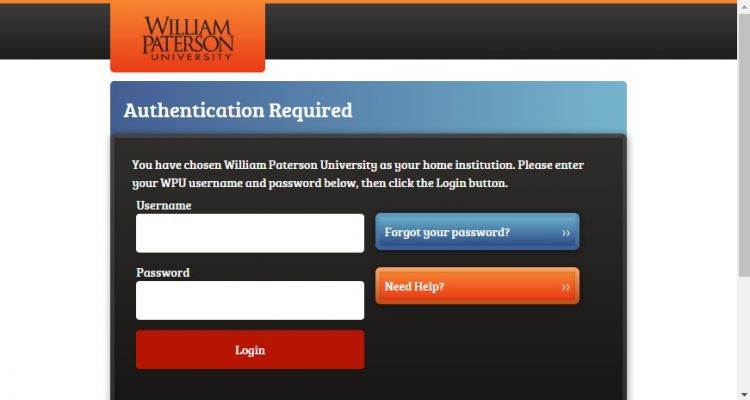
- Sign in again with WPU login and Duo authentication.
Starting a Meeting
- Click "Start a Meeting"
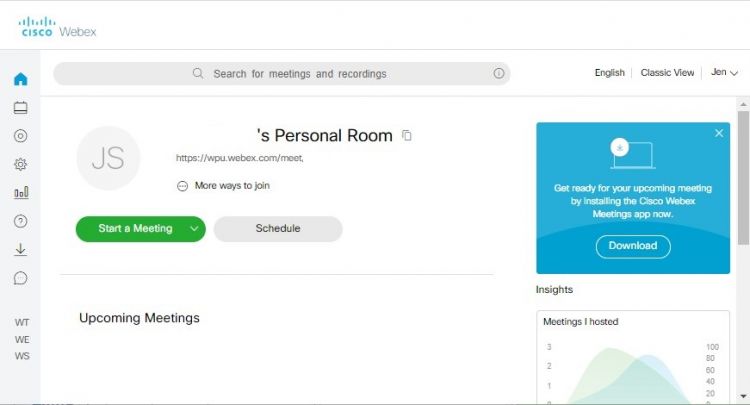
- Fill in the required options
Using the Full Application
The full Application is available through the Software Center on University imaged machines. For personal machines, go to https://www.webex.com/downloads.html to install full application.


